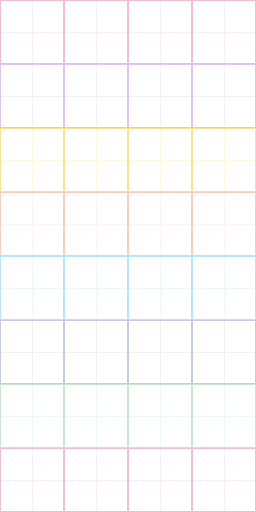
Load an existing .mochibundle / .mochibun to keep its wallpaper & cursor intact, or drop a new 8-row PNG sprite sheet.
( ˶ˆᗜˆ˵ ) ♡ drop a sprite sheet or test dialogue!
Per-Row Frame Counts (mascot.slots)1–16 frames
✨ Ready: Fresh bundle mode
2. Bundle Details & Palette 🎨
When you load an existing .mochibundle, these fields populate automatically from its manifest.json.
Theme Presets:
Background
Card Surface
Greeting Text
Accent / Action
24 dp
3. 🖼️ Custom Wallpaper, Cursor & Live Phone Mockup 📱
Upload any image as a custom wallpaper (automatically center-cropped & resized on an offscreen 480 × 800 canvas as wallpaper.png) and a custom .png or animated .gif virtual cursor (preserving raw animation bytes as cursor.png or cursor.gif). Move or tap inside the phone mockup to test your cursor live ♡
Hover or tap phone screen to move cursor · 480 × 800 portrait ratio
4. Card border & 9-slice frame 🎀
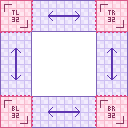
Choose one of the 5 procedural palette.borderStyle trims, or upload an optional 9-slice card_border.png frame (16×16 to 256×256 px, ≤ 512 KB). When a custom PNG is loaded, its 8 outer patches frame every card while keeping your procedural preset as a fallback ♡
Optional! Enter one speech-bubble line per row in any pool below (up to 20 lines per pool, max 48 characters per line). Any pool left blank automatically falls back to Mochibunny's built-in lines on the phone ♡
Ready to pack your .mochibundle? 🍡
Packs manifest.json + any loaded mascot_atlas.png, card_border.png, wallpaper, and cursor into one shareable file.